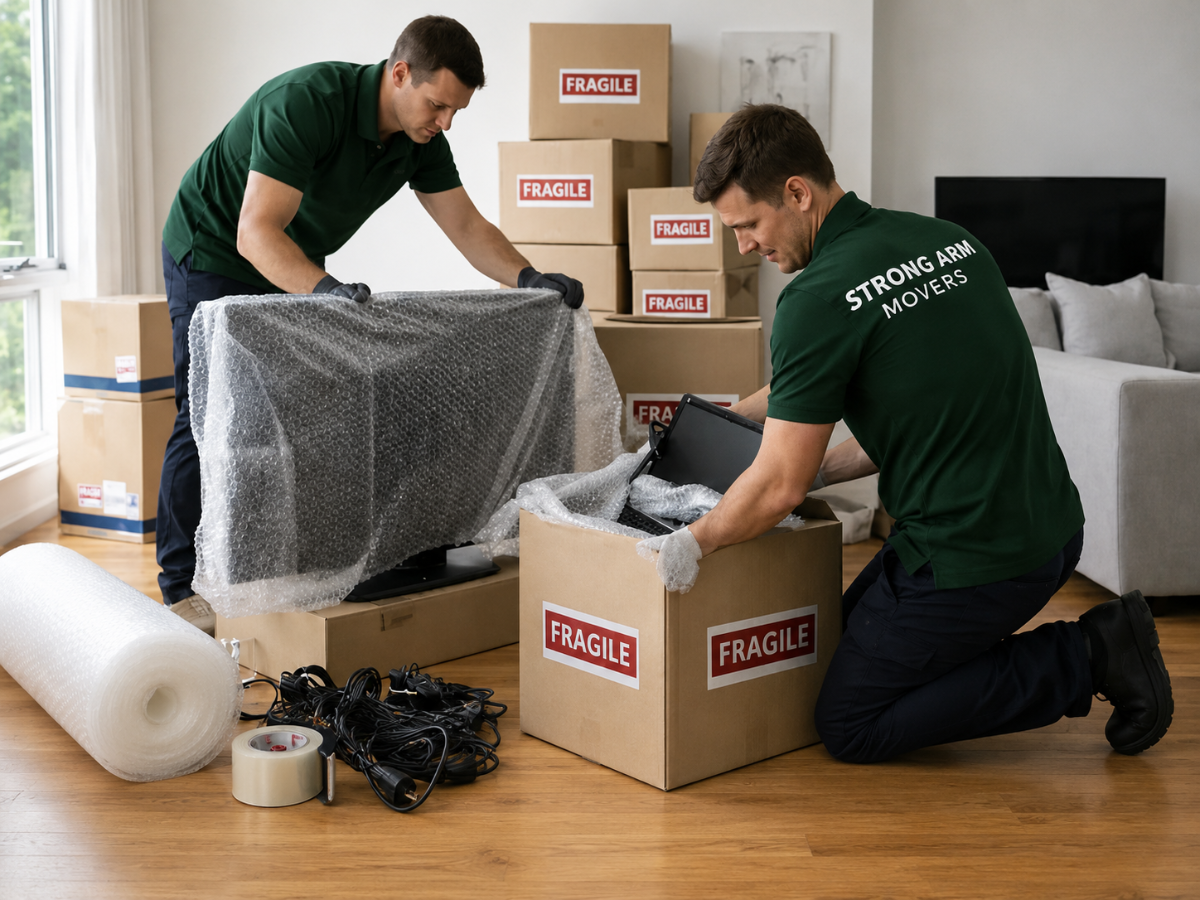
Moving to a new home is an exciting chapter, but it also comes with its fair share of stress, especially when it involves transporting valuable electronics. From laptops and televisions to gaming consoles and home theatre systems, these devices are not only expensive but also highly sensitive to physical shocks, static electricity, and temperature changes. Without proper care and preparation, even a short move can result in cracked screens, damaged circuits, or permanent data loss. Taking the time to pack and handle your electronics thoughtfully can save you from costly repairs or replacements and give you peace of mind throughout the entire relocation process.
The Importance of Properly Packing Electronics for a Safe Move
Electronics are among the most fragile and valuable items in any household. Unlike furniture or clothing, they contain intricate internal components that can be permanently damaged by improper handling. Understanding why careful packing matters will help you approach the process with the attention it deserves.
Avoiding Damage to Screens, Cables, and Components
Screens are one of the most vulnerable parts of any electronic device. A single knock or a heavy object pressing against a display during transit can cause irreversible cracks or dead pixels. Similarly, loose cables rattling around inside a box can scratch device surfaces, tangle around other items, or sustain internal damage to connectors. Delicate components like ports, buttons, and hinges are also at risk when items are not secured properly. Wrapping devices individually and padding boxes adequately helps absorb shock and prevents contact between items, reducing the chance of physical damage significantly.
Preventing Static Damage and Circuit Failures
Static electricity is an invisible but very real threat to electronic components. When devices are wrapped in regular plastic or placed near synthetic materials, static charges can build up and discharge into sensitive circuits, causing failure that may not even be immediately noticeable. Using anti-static bags and materials specifically designed for electronics is essential to avoid this type of damage. This is particularly important for computers, hard drives, and any exposed circuit boards that are being transported without their outer casings.
Reducing the Risk of Data Loss During Transit
Physical damage to a hard drive or SSD can result in partial or total loss of stored data, including irreplaceable photos, documents, and work files. Even devices that appear undamaged externally may have suffered internal jarring that affects storage components. Backing up all important data before a move is a critical step, but combining that with careful physical packing provides a double layer of protection. A device that is properly cushioned and secured is far less likely to experience the kind of impact that leads to data corruption or drive failure.
Essential Packing Materials for Protecting Your Electronics
Having the right packing supplies on hand before you begin is just as important as the packing technique itself. Using inappropriate materials can do more harm than good, so investing in quality supplies is always worthwhile.
Choosing the Right Box
- Use the original manufacturer’s box whenever possible, as it is designed to fit the device perfectly and provide optimal protection.
- If the original box is not available, choose a sturdy double-walled cardboard box that is the appropriate size for the device.
- Avoid boxes that are too large, as excess space allows items to shift during transit.
- Do not reuse old or damaged boxes, as they may not provide adequate structural support.
- Clearly label each box with its contents and mark it as fragile to alert movers to handle it with extra care.
Bubble Wrap and Anti-Static Materials
- Use bubble wrap generously to cushion devices on all sides, including the top, bottom, and corners.
- Choose anti-static bubble wrap for any devices with exposed components or circuit boards to prevent electrostatic damage.
- Anti-static bags are ideal for hard drives, graphics cards, RAM sticks, and other internal components.
- Avoid using regular plastic bags or cling film directly on electronics, as these can trap moisture and generate static.
- Foam inserts and packing peanuts can be used to fill remaining empty spaces within boxes, but ensure they are the anti-static variety for electronics.
Moving Blankets For Fragile Electronics
- Moving blankets are thick, padded coverings that provide an excellent outer layer of protection for larger devices like televisions and monitors.
- Wrap televisions and monitors in a moving blanket before placing them in a box or moving them vertically in a vehicle.
- Secure the blanket with packing tape or straps to prevent it from slipping during transport.
- Moving blankets also help protect device surfaces from scratches caused by contact with other items in the moving vehicle.
- For particularly large or heavy electronics, consider using two blankets layered together for extra cushioning.
Step-by-Step Guide to Packing Your Electronics Safely
Following a structured approach to packing ensures nothing is overlooked and every device receives the care it needs before the move begins.
Backing Up Data
Before anything is unplugged or packed, back up all important data from computers, laptops, external hard drives, and mobile devices. Use cloud storage services, external drives, or both to create multiple copies. This step protects your information in the event that a device is damaged or lost during the move. Check that the backup has completed successfully before proceeding, and store backup drives separately from the devices they contain data for.
Disconnecting and Organizing Wires and Cables
Power down all devices completely before unplugging anything. Remove cables one at a time and label each one clearly using masking tape and a marker, or use colour-coded cable ties for easy identification. Take a photograph of how devices are connected before dismantling your setup, as this makes reassembly much faster and less confusing. Coil cables neatly and secure them with velcro ties or rubber bands to prevent tangling. Store all cables belonging to a single device together in a labelled zip-lock bag and keep that bag either inside the device’s box or taped securely to the outside.
Wrapping Devices
Remove any accessories, removable media, or batteries from devices before wrapping. For screens and monitors, apply a layer of clean foam or soft cloth directly to the surface to protect it from scratches, then wrap the entire unit in anti-static bubble wrap. Secure the bubble wrap with packing tape, being careful not to apply tape directly to the device surface. Wrap corners with extra layers since they are the most vulnerable points during impact. For particularly delicate devices, consider adding a second outer layer of foam sheeting.
Securing Devices Inside Boxes
Place a layer of packing material at the bottom of the box before inserting the wrapped device. The device should sit snugly without being forced in or having room to move around. Fill any remaining gaps on the sides and top with additional bubble wrap, foam peanuts, or crumpled packing paper to eliminate movement. Close and seal the box securely with strong packing tape, reinforcing the seams and bottom for added support. Write the contents on the outside of the box, note which side faces up, and add a fragile label in a visible location.
Unpacking and Setting Up Your Electronics
Arriving at your new home is exciting, but rushing to set up your electronics can lead to overlooked damage or improper installation. Taking a calm and methodical approach during unpacking will help everything get back up and running smoothly.
Systematic Approaches
Begin by unpacking one device at a time rather than opening all boxes at once. Prioritise the devices you need most immediately, such as your computer or television, and work through the rest methodically. Having your labelled cable bags and photos of your original setup on hand will make the reconnection process much simpler and less time-consuming.
Inspection
Before plugging anything in, inspect each device thoroughly for any visible signs of damage such as cracks, dents, loose parts, or broken ports. Check screens for pressure marks or cracks and test buttons and connectors for integrity. If you notice any damage, document it with photographs immediately and contact your moving company or insurance provider as appropriate.
Safe Handling
When removing devices from boxes, support their weight fully and avoid gripping them by delicate parts such as screens, hinges, or protruding ports. For heavier items like desktop computers or large televisions, ask for assistance rather than attempting to lift them alone. Place devices on stable, flat surfaces before attempting to set them up or connect any cables.
Protection and Setup
Reconnect cables according to your labelled system and reference photographs. Avoid forcing any connector into a port and double-check that you are using the correct cable for each connection. Position devices away from direct sunlight, heat sources, and areas where they may be knocked over, especially in the initial days when your new space is still being arranged.
Power Down Time
After transportation, particularly over long distances, allow devices to acclimate to room temperature before powering them on. Electronics that have been in a cold vehicle, for example, can develop condensation internally when brought into a warm environment. Waiting at least one to two hours before switching devices on helps prevent moisture-related damage to internal components.
Consider Professional Help for Moving Electronics
While careful DIY packing can go a long way, there are situations where calling in professional movers is the smarter and safer choice. Professionals bring the right equipment, training, and materials to handle electronics of all sizes and sensitivities.
High-Value or Delicate Electronics
For devices such as high-end home theatre systems, professional audio equipment, or vintage electronics, the risk of DIY damage simply may not be worth taking. Professional movers experienced in handling fragile and valuable items have access to specialist packing materials and techniques that provide a higher level of protection than most people can achieve at home.
Logistical Challenges
If your home has narrow staircases, tight corners, or multiple floors without elevator access, moving large electronics safely can become a genuine challenge. Professionals are trained to navigate these obstacles without putting devices or people at risk. They also have the equipment such as trolleys, straps, and lifting gear to move heavy items without impact damage.
Long-Distance or Interstate Moves
The longer the journey, the more opportunity there is for items to shift, experience temperature changes, or encounter rough roads. Professional moving companies that specialise in long-distance or interstate relocations understand how to secure electronics for extended transit and often offer insurance options that provide financial protection in the unlikely event of damage.
Handling Large and Bulky Electronics
Televisions larger than 65 inches, large-format monitors, or projection systems are notoriously difficult to move without specialist knowledge and equipment. Attempting to move these items without proper preparation can result in screen damage or structural harm to the device. Professional movers know how to position, secure, and transport oversized electronics in a way that minimises risk throughout the journey.
Final Thoughts
Moving your electronics does not have to be a stressful or risky experience. With the right preparation, quality packing materials, and a careful approach, you can transport your devices safely and have them up and running in your new home without any unpleasant surprises. From backing up your data and using anti-static materials to labelling cables and allowing devices to adjust to room temperature, every step you take adds an extra layer of security. And when the task feels too complex or the stakes too high, reaching out to a trusted professional service can make all the difference.
Strong Arm Movers bring the experience, equipment, and attention to detail needed to handle your electronics with the care they deserve, giving you one less thing to worry about on moving day. A little extra care before, during, and after your move can protect your investment and make your new beginning that much smooth
Frequently Asked Questions
What is the best way to protect electronics when moving?
The best approach involves using original packaging where possible, wrapping devices in anti-static bubble wrap, labelling all cables, backing up data beforehand, and ensuring boxes are tightly packed with no room for movement. Marking boxes as fragile and keeping electronics away from heavy items also makes a significant difference.
How do I pack fragile electronics like TVs and computers?
Televisions should be placed upright in their original boxes or custom-sized cardboard boxes after being wrapped in foam and a moving blanket. Computers should have internal components such as graphics cards removed and packed separately if the unit is being transported over long distances. Both should be secured with cushioning material on all sides to absorb any shocks during transit.
Should I back up my data before moving electronics?
Absolutely. Backing up your data before a move is one of the most important steps you can take. Physical damage to storage devices during transit can result in permanent data loss. Use cloud backup services, external hard drives, or both to ensure your files are protected regardless of what happens to the physical devices.
Does an EMP permanently destroy electronics?
An electromagnetic pulse can permanently damage or destroy electronic devices by inducing powerful electrical currents that overwhelm and burn out circuits. Most standard household moves do not involve any risk of EMP exposure, but it is worth knowing that conventional packing methods offer no protection against such an event. The only reliable protection against EMPs involves specialised shielding materials such as Faraday cages.
What materials are best for packing electronics?
Anti-static bubble wrap, foam sheeting, moving blankets, sturdy double-walled cardboard boxes, anti-static packing peanuts, and zip-lock bags for cables are among the most effective materials. Original manufacturer packaging is ideal when available. Avoid using regular plastic bags or materials that generate static around sensitive components.
How do I unpack my electronics safely at my new home?
Unpack one device at a time, inspect each item carefully for damage before connecting it, and allow devices that have been transported in cold or hot conditions to reach room temperature before powering them on. Use your labelled cables and reference photographs to reconnect everything correctly, and set up devices in positions where they are stable and protected from accidental knocks during the ongoing settling-in process.